

— Platform · Manufacturing →
From process design to a signed batch record — one execution engine.
The batch record is not a paper-on-glass tool. It executes a recipe derived from an experiment, uses the same registry, inventory and equipment, and hands its results to the same QC and CoA machinery.
Building blocks
Six pieces, one engine.
BPMN process designer
Serial, parallel and conditional steps with data sources, form fields, SOPs, equipment and approval gates. Exports BPMN 2.0.
ISA-88 recipes
Master, site and control recipes, version-locked. Execution is bound to the approved version.
Electronic batch records
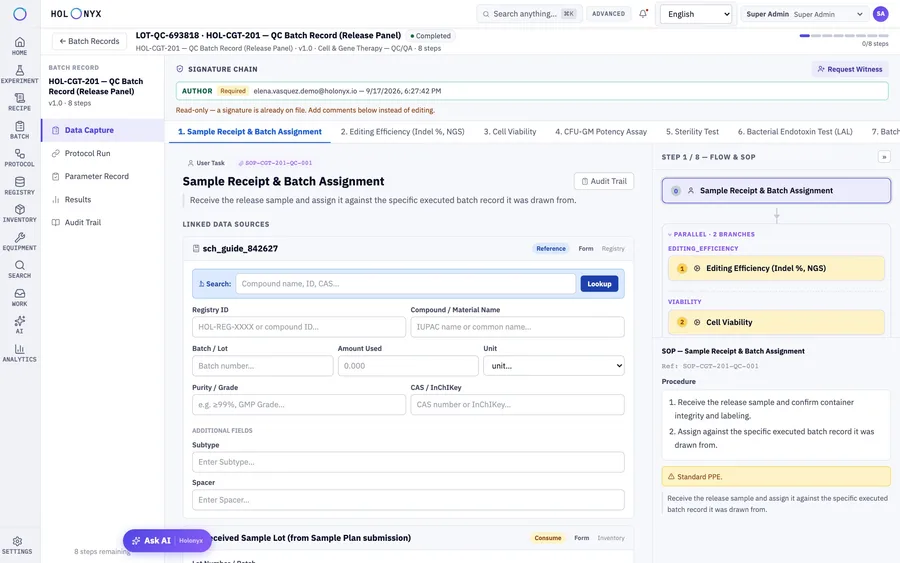
Actual-versus-target capture, yield, QC results, deviations and signatures.
Execution runner
Step-by-step capture with the SOP alongside, real-time spec checks and per-step audit history.
Review by exception
Rules decide which values force review, a deviation or a CAPA.
Deviations & QMS
Raised in-line and handed to your QMS by connector.
Process designer
Branching logic, data links and equipment tags on a real BPMN canvas.
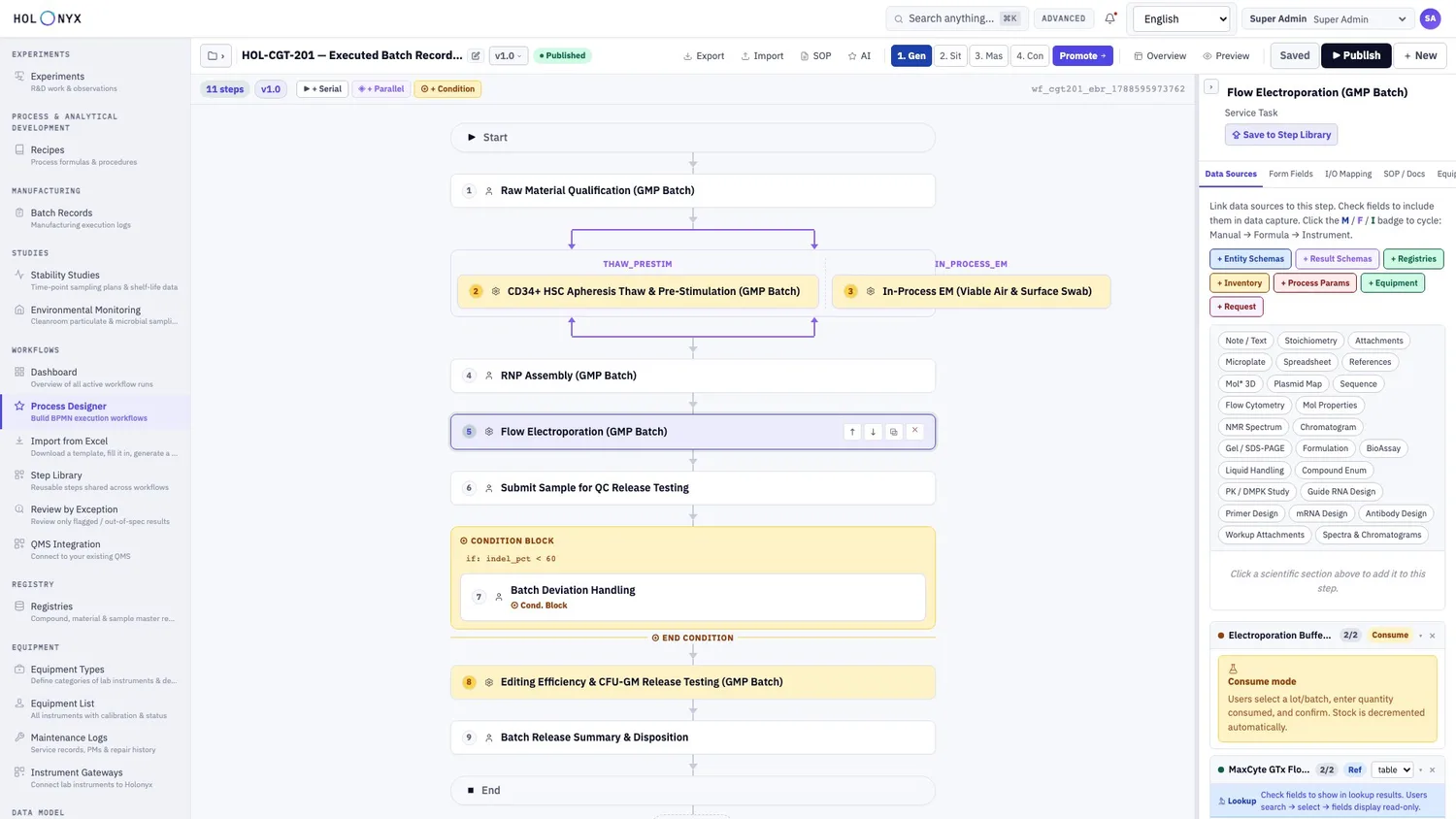
A cell & gene therapy release process — eleven steps from raw material qualification to batch disposition — with a parallel branch and a condition block for deviation handling. It exports as real BPMN 2.0, not a picture of a flowchart.
- Execution mode per step: serial, parallel or condition.
- Data sources: entity and result schemas, registries, process parameters, equipment and every notebook section type.
- Per-step spec: form fields, I/O mapping, SOP references and tagged equipment.
Step library & definitions
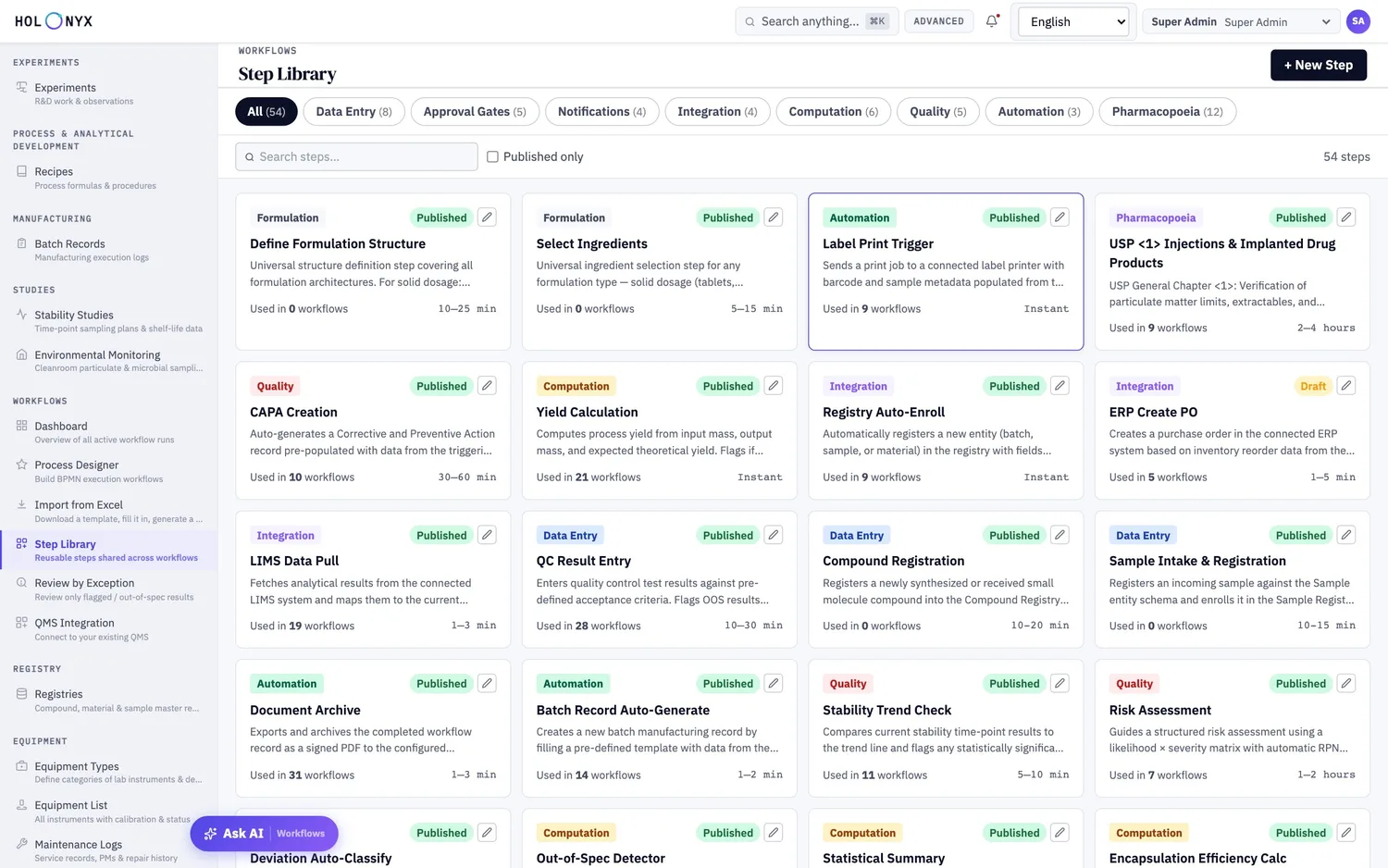
Reusable steps and a governed library of workflows.
Define a data-entry step, an approval gate, a quality check or a compendial test once and reuse it. Approved versions are immutable; approving a workflow drafts the Performance Qualification protocol for the change.
- Categories: data entry, approval gates, notifications, integration, computation, quality, pharmacopoeia
- Lifecycle: Draft, In Review, Approved, Superseded
Workflow import
Author a process in Excel, review it, generate the workflow.
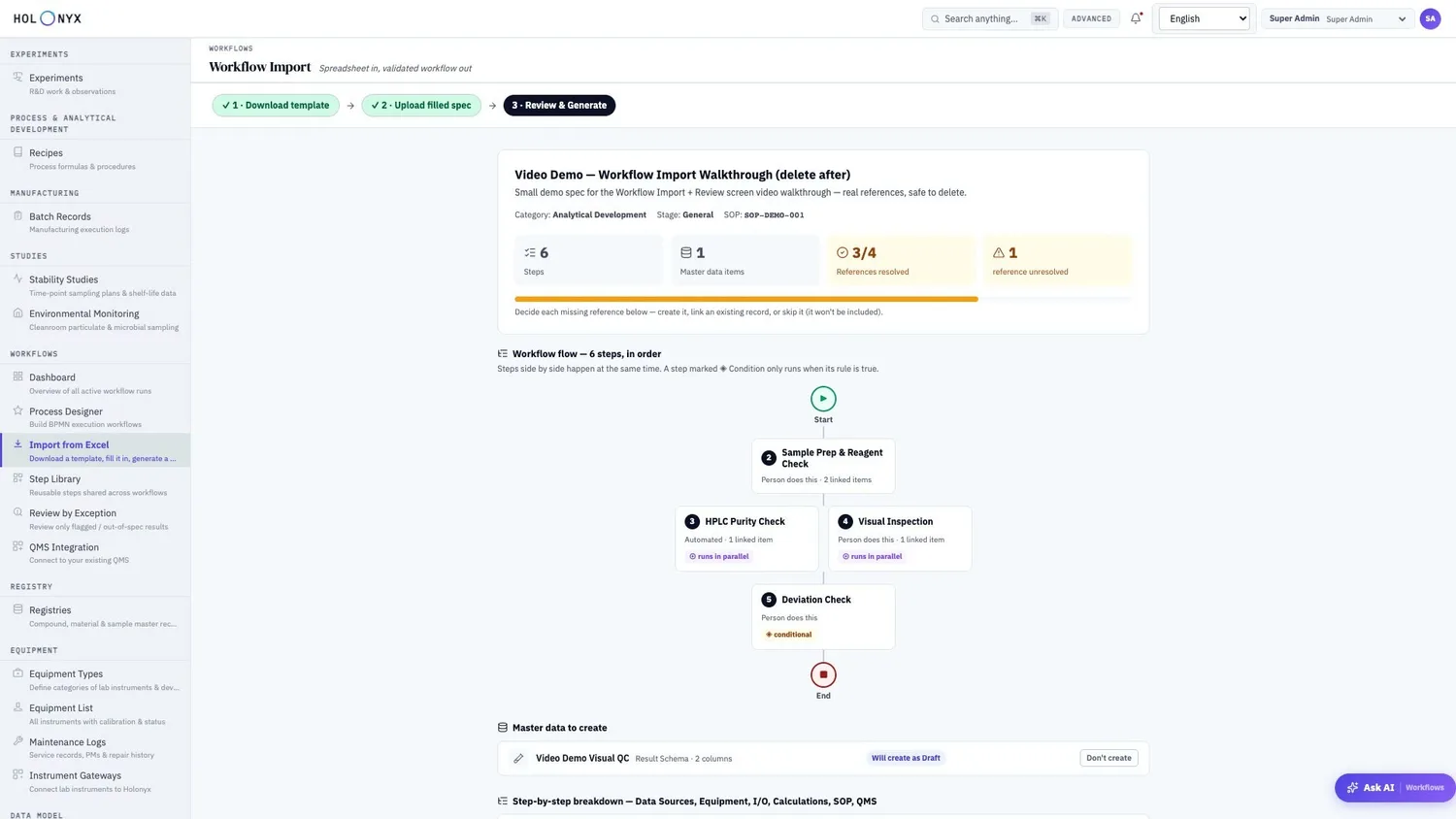
For teams that already document processes in spreadsheets: download the template, fill in steps, data sources and limits, upload — and review what will be created before anything is.
- Review shows step count, master data to create and how many references resolved
- Round trip: export the spec of an existing workflow, edit it, import it again
Recipes
Built from an approved workflow, executed at a locked version.
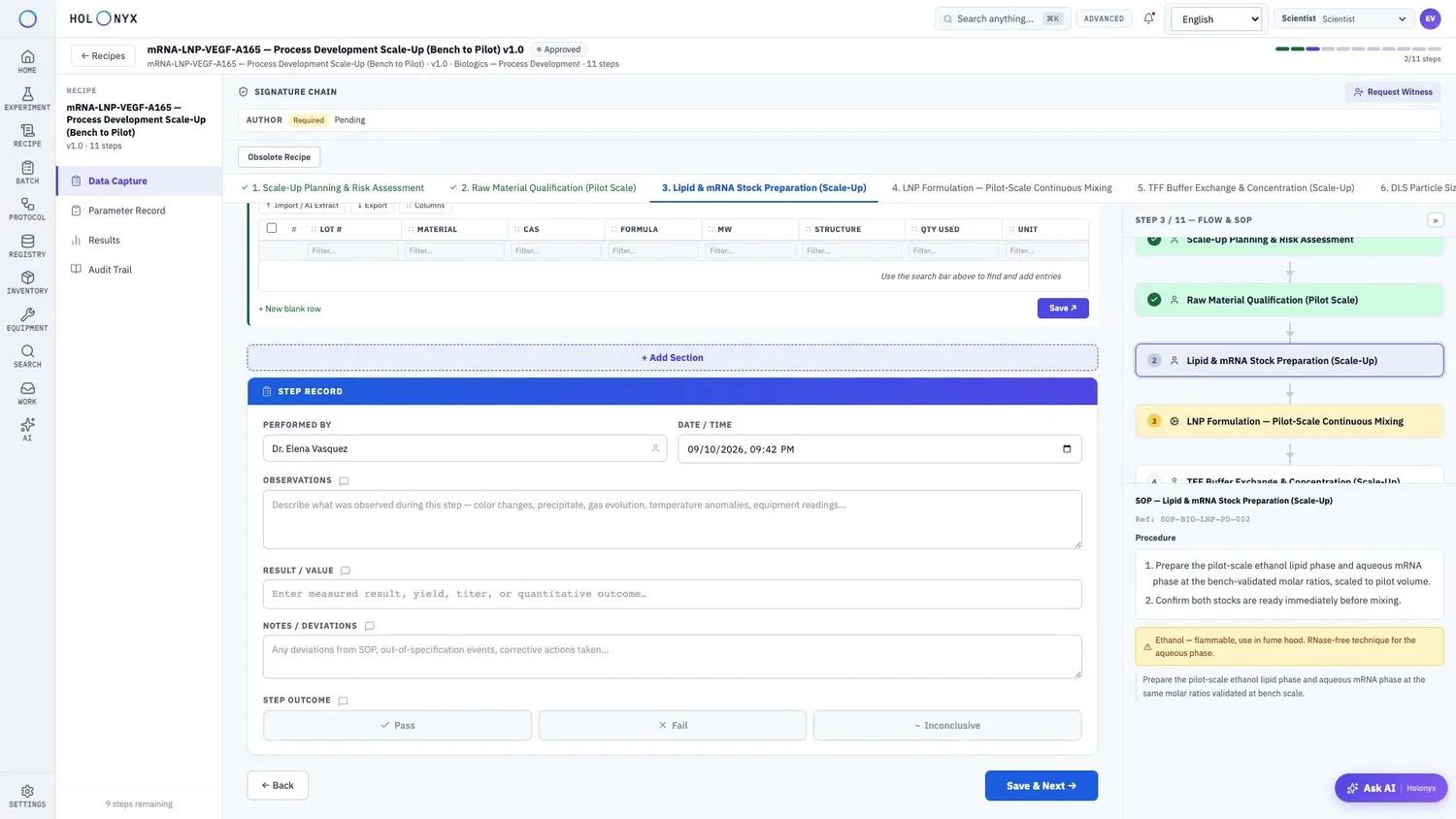
A recipe is the version-locked template that drives execution. Only approved recipes can start a batch; a change is a new revision. The Batch Runs tab shows every execution so process drift is visible.
- ISA-88 hierarchy: master, site and control recipe
- CPPs and CQAs assigned per step, with materials and equipment linked
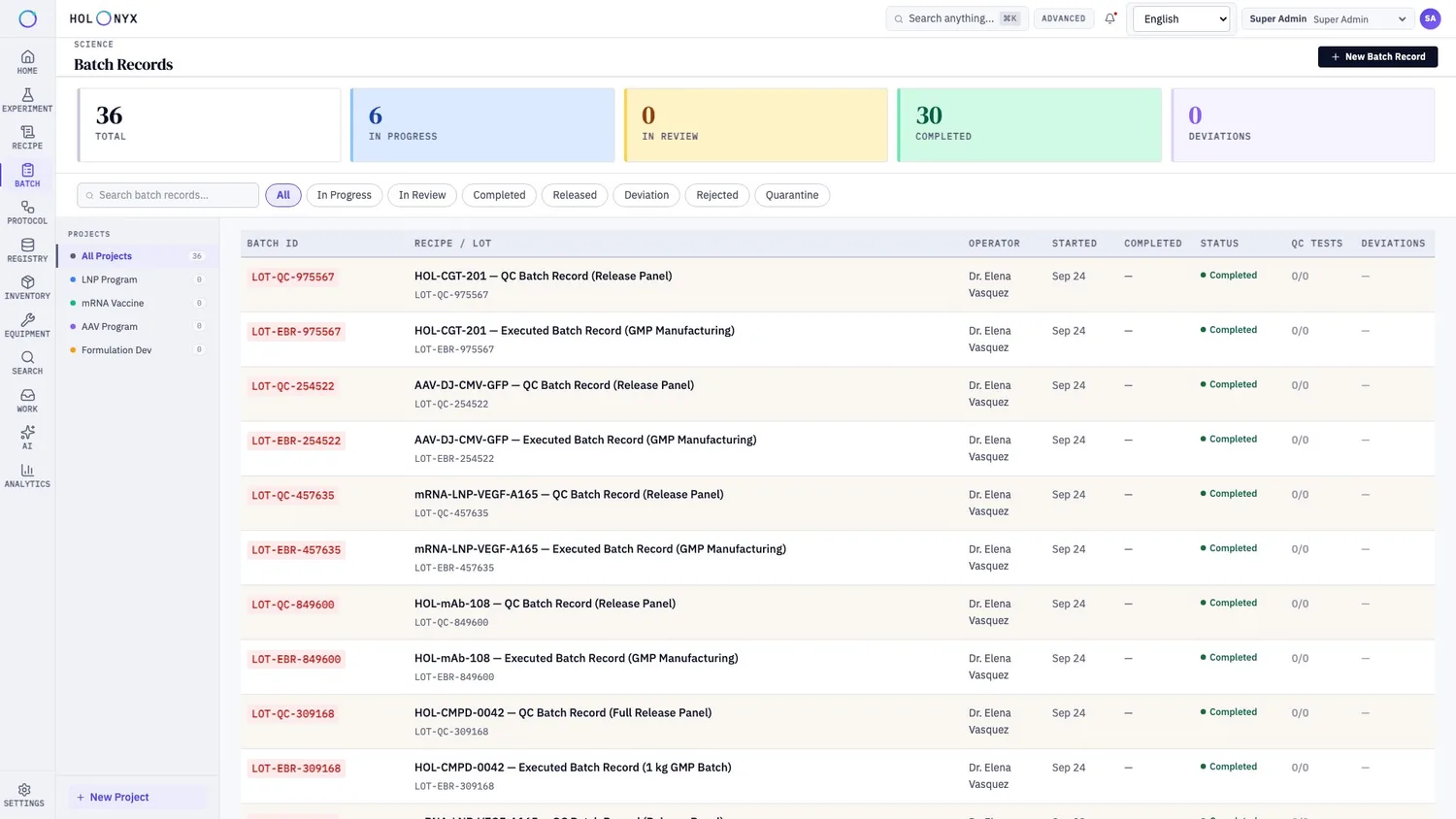
Batch records
Every batch, its recipe, its lot and its status — at a glance.
The recipe version is frozen when the batch starts. QC and in-process results are captured against result schemas and shown on the batch, with audit, contributors and reviewers on the record.
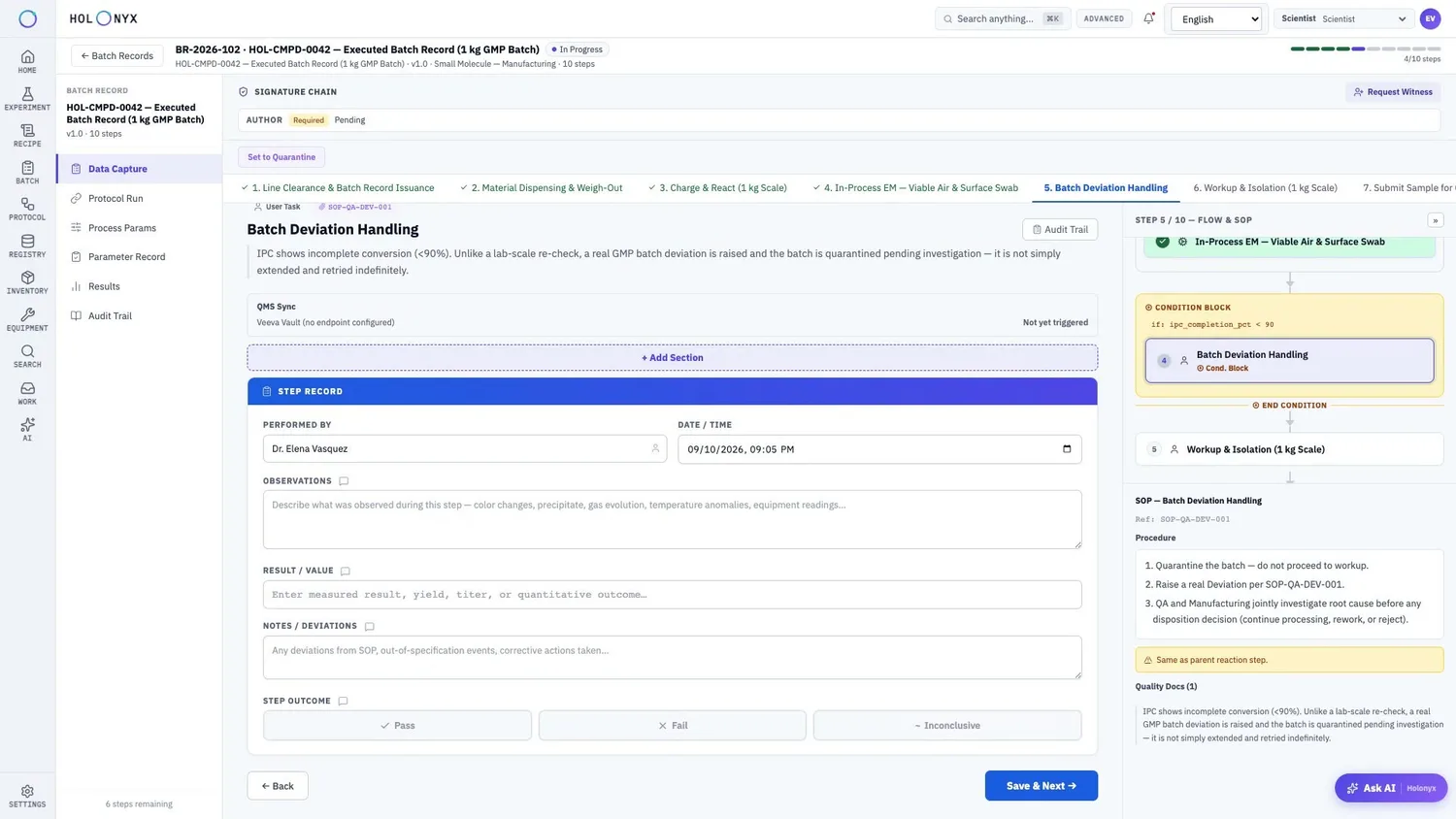
In-line deviations
Deviations are part of the flow, not a side process.
A condition block routes the batch when a captured value is out of range: here, incomplete conversion in an in-process control triggers Batch Deviation Handling, with its SOP and a QMS-sync line on the step.
- Expression evaluated against captured data, for example ipc_completion_pct < 90
- Set to Quarantine is one click on the batch
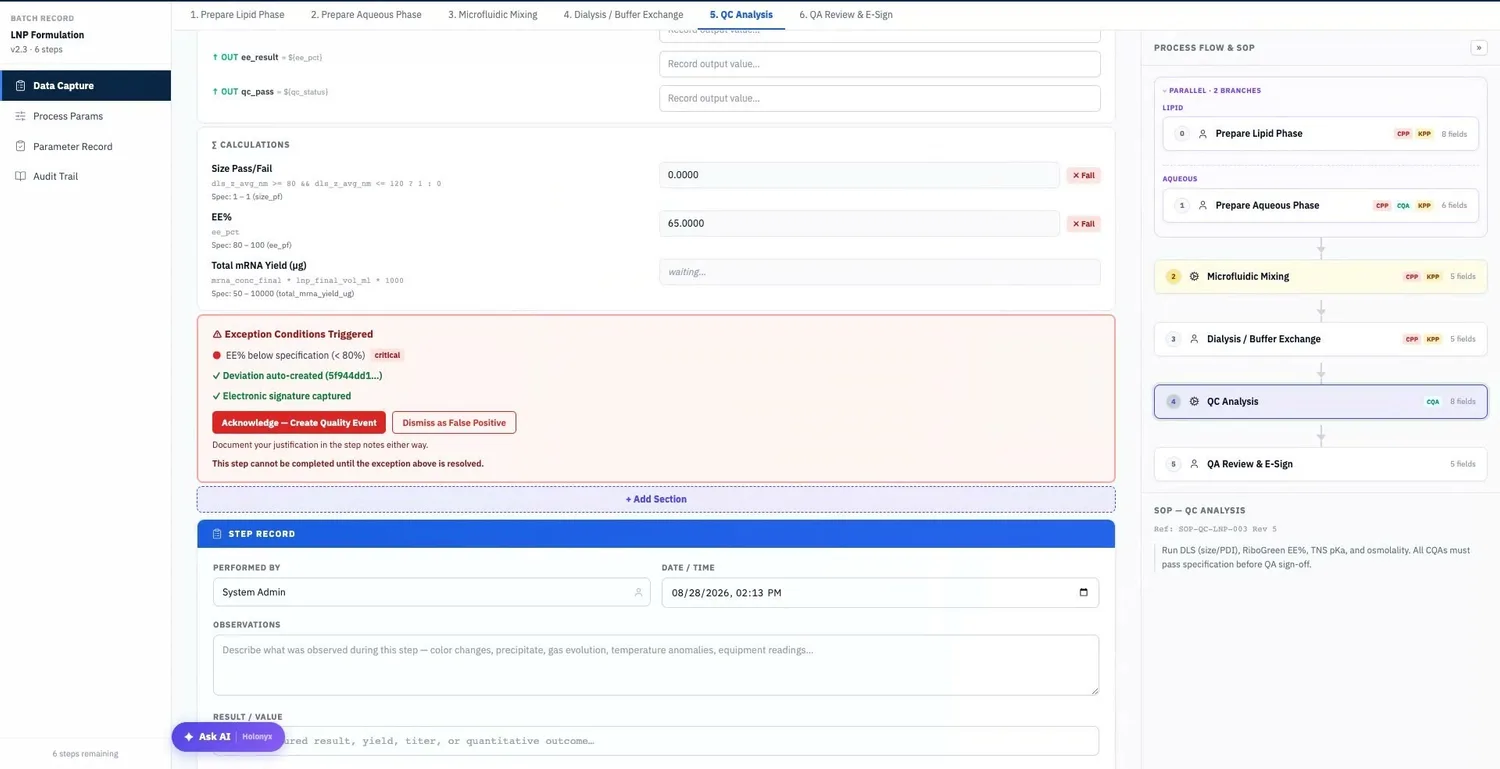
Review by exception
An out-of-spec value raises the deviation and blocks the step.
Calculations carry specification limits. When one fails, the runner shows the exception, creates the deviation, captures the signature and requires a resolution before the step can complete. QA’s queue holds the runs that deviated, not every run.
- Rules at global, workflow or step scope: review mode, notification roles, review window, escalation, required e-signature, CAPA routing, blocking
Quality events & QMS
One register for deviations, OOS and CAPA — with hand-off to your QMS.
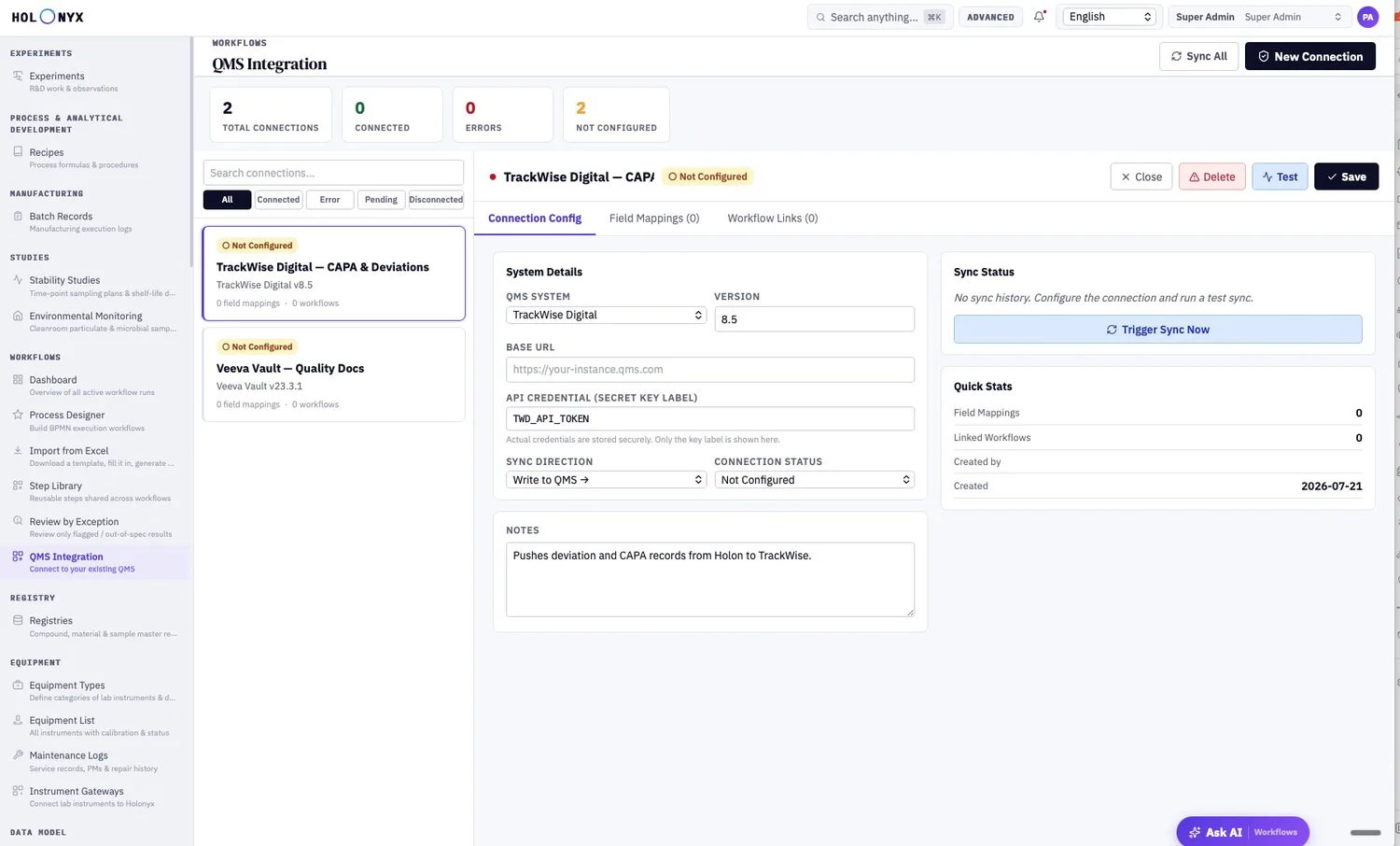
Deviations from batch records and workflow runs, plus automatic out-of-specification triggers, land in one filterable register with severity, owner and due date. Connector templates for systems such as TrackWise and Veeva Vault push deviations and CAPA and log every delivery.
Release
Disposition and electronic signature close the record.
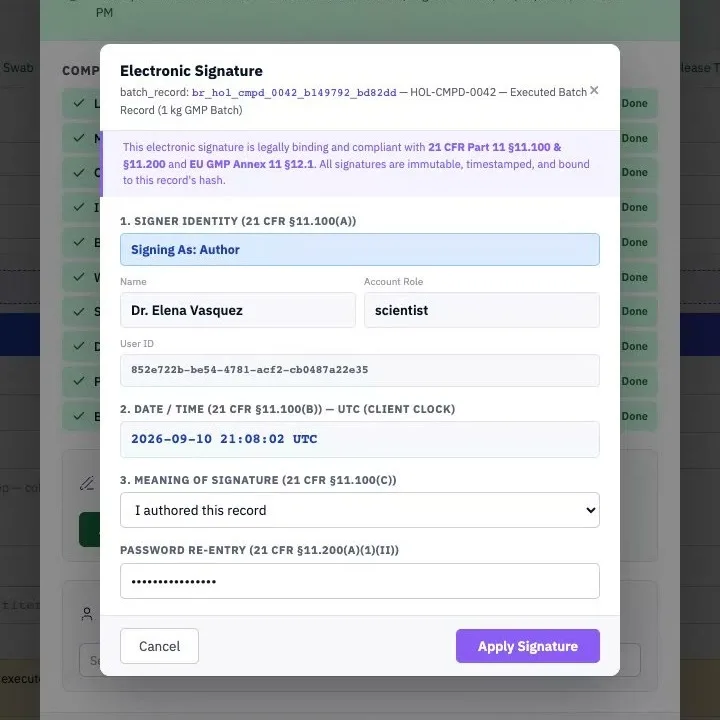
The release conclusion is a step in the flow. The signature dialog is the same Part 11 component used across the platform — identity, UTC time, meaning of signature and password re-entry — and the signed record feeds the Certificate of Analysis.
Process parameters
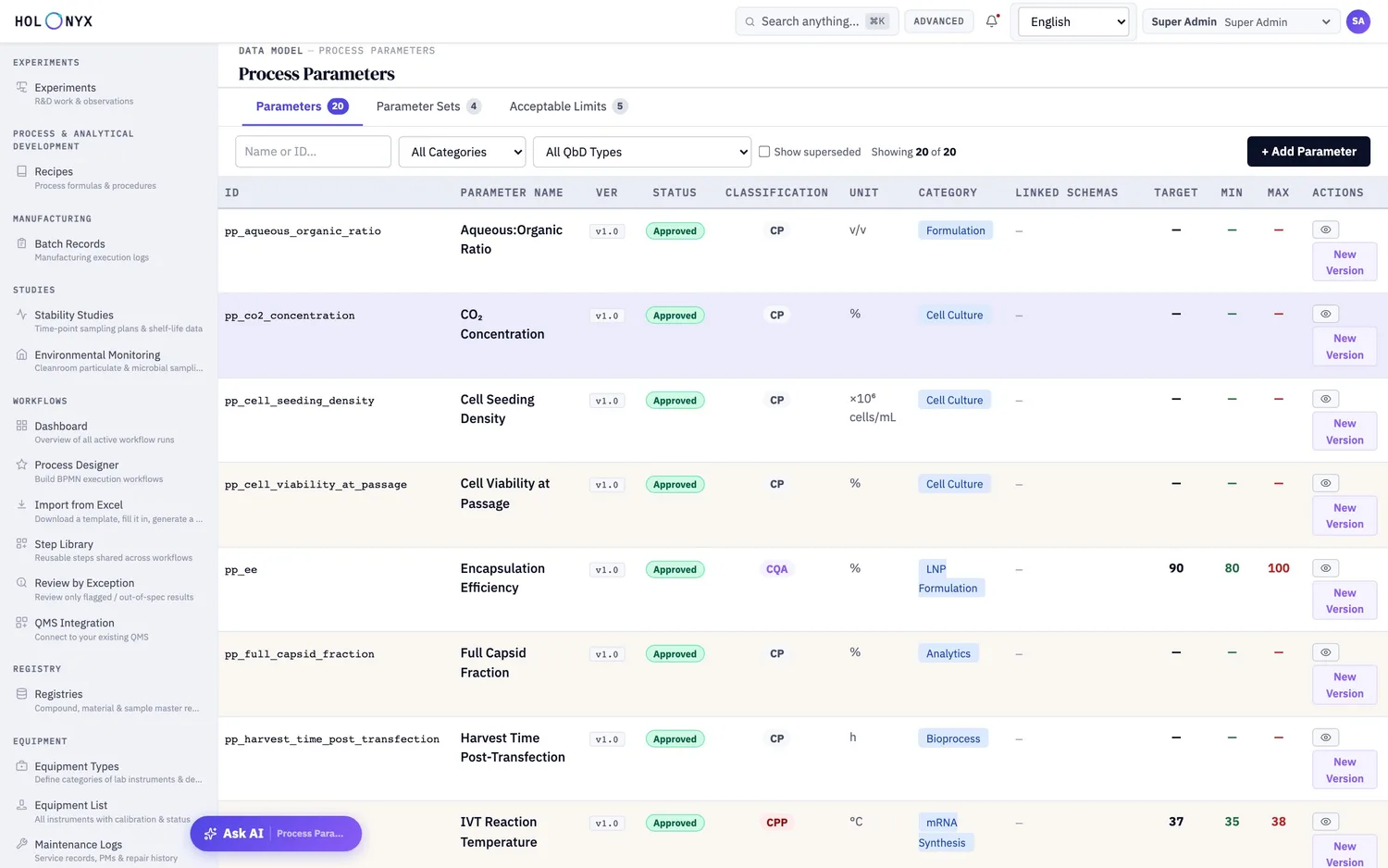
A CPP and CQA catalog: parameters, limits and versions as master data.
Classify, set targets and limits, and version them. Steps reference parameters by ID, so a spec change never rewrites the history of batches that ran against an earlier version.
Bring a batch record you would like to stop printing.
A working session with the team that built it — your modality, your compliance regime, your instruments.